Identify and organise equipment
Record equipment details and photos so your team can identify items and keep relevant information together, with traceable records to support consistent equipment management.
THE HAZARDHUB ECOSYSTEM
Know your equipment. Keep track of inspections.
Keep equipment identification, photos, inspection records and due dates together, giving your team a clearer view of the equipment it manages and supporting quality control, compliance reviews and readiness for use.
See it in action How it connectsSEE IT IN ACTION
Explore the Equipment Register's actual layout, with sample equipment in a fictional company. Start with a quick look at the screens, or open the interactive demo.
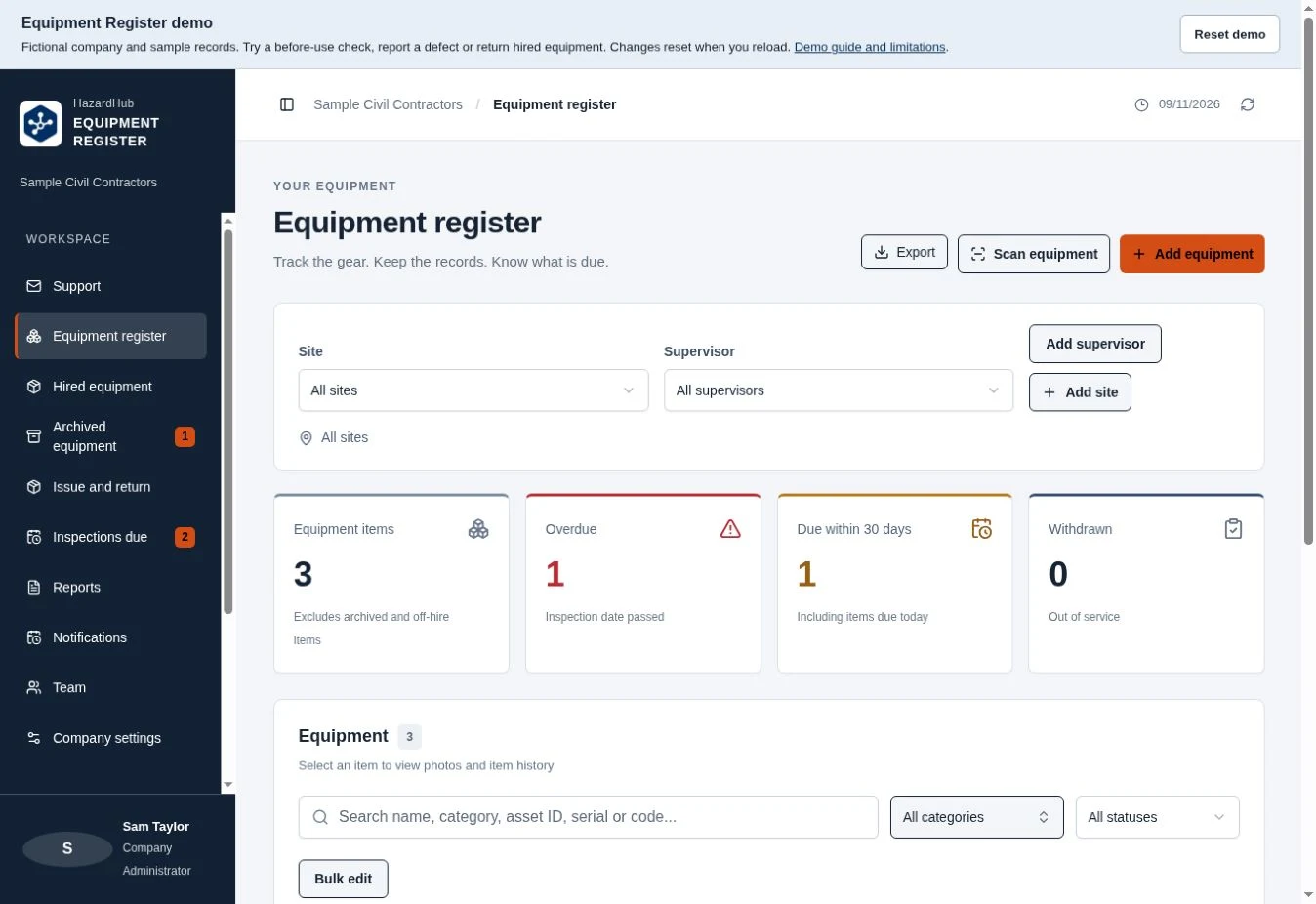
See equipment counts, overdue inspections and withdrawn items, then filter the register by site or supervisor.
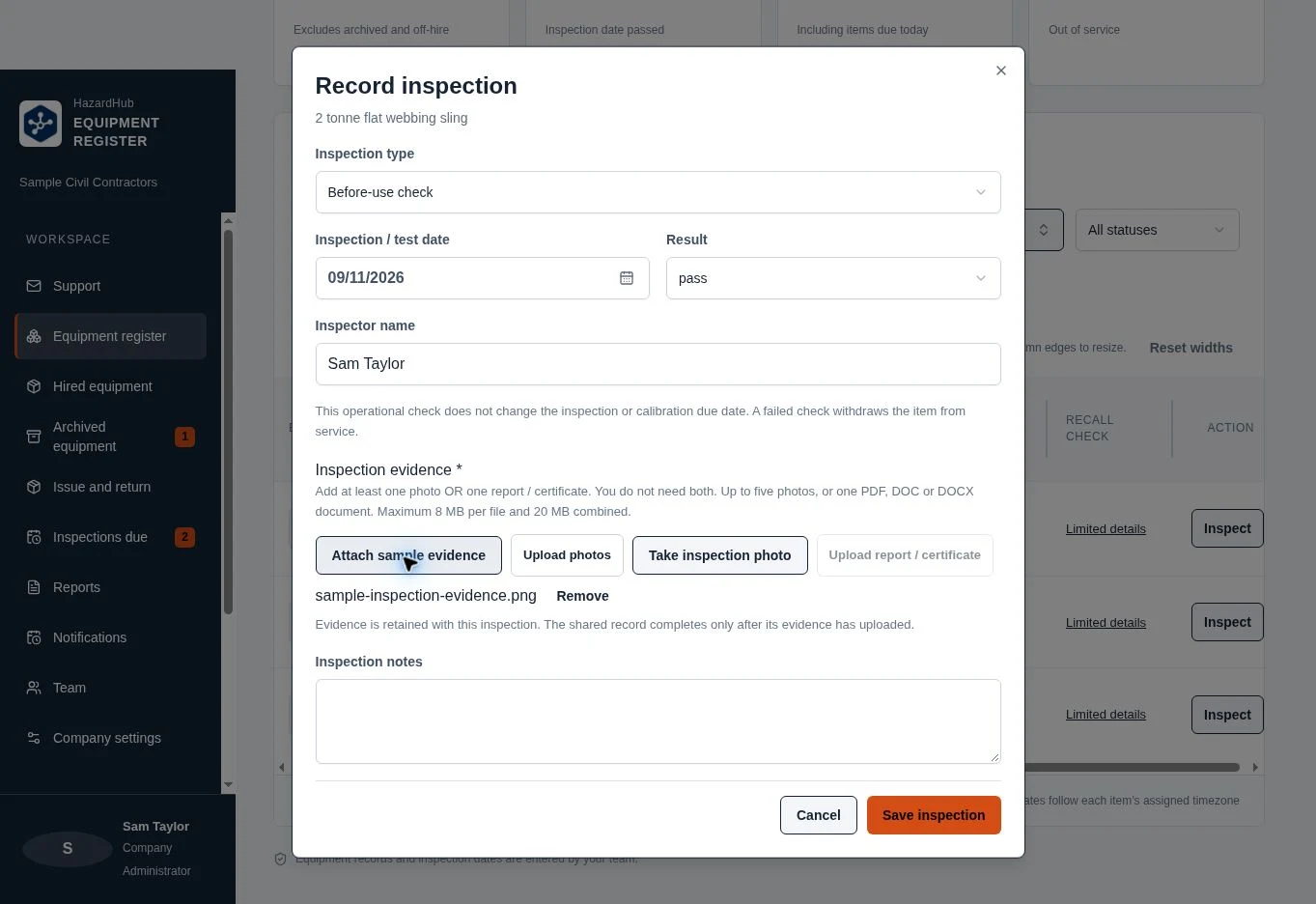
Record a check, attach evidence and review it in the equipment's history.
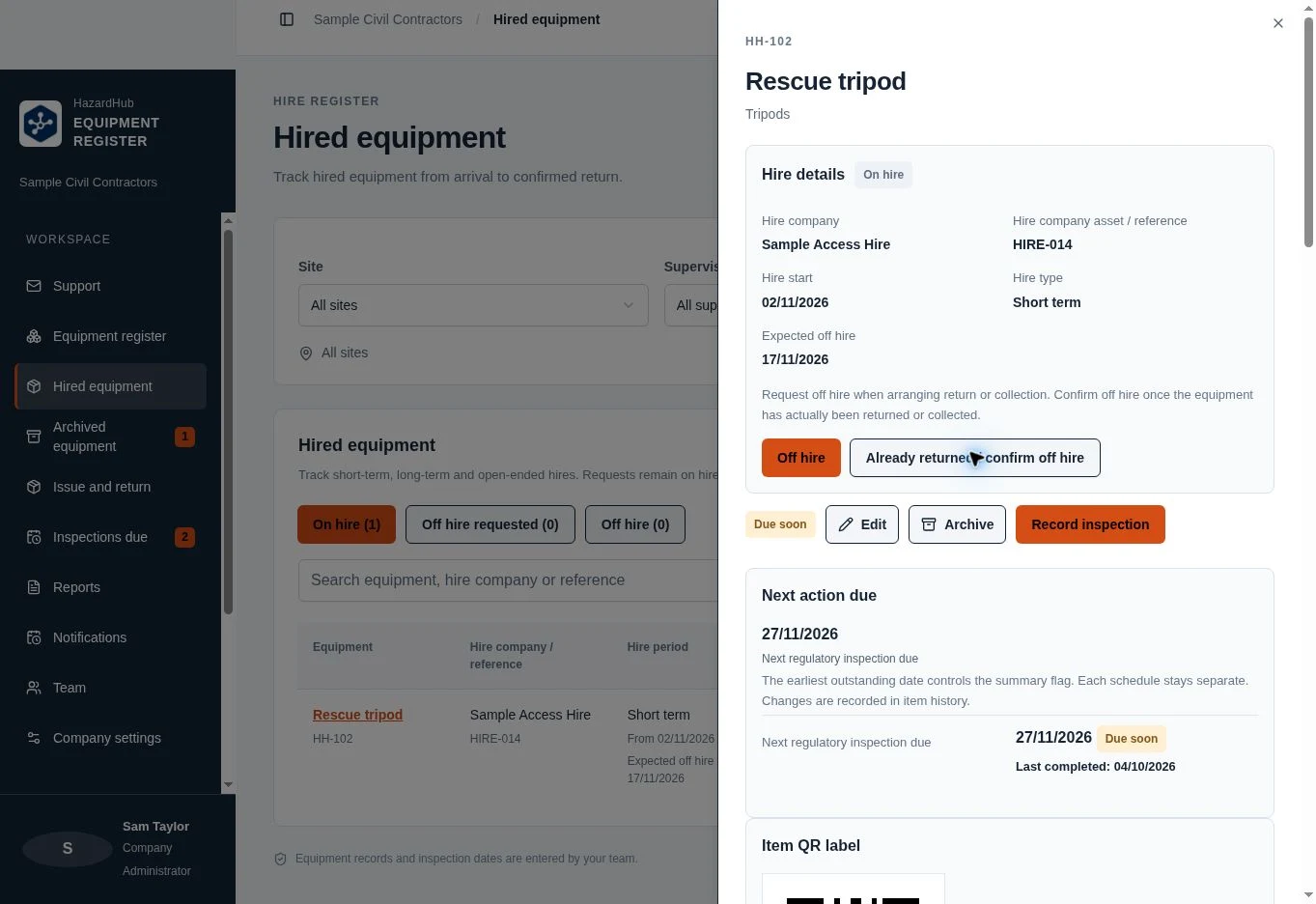
Review hire details and confirm off hire once the equipment has been returned or collected.
Use Reset demo at any time to start again. Changes last only while this demo is open and reset when you reload.
The menus, item screens and forms use the current Equipment Register interface. The company, people and equipment are fictional. Attach sample evidence is a demo-only shortcut.
You can browse sample records, save inspections and evidence, report defects and request or confirm off hire. Account access, team and company administration, adding or editing equipment and sites, archiving, issue and return, support messages, live recall checks, notifications, exports and camera scanning are not available to try. Some controls remain visible to show their position in the product. They do not connect to a live account.
No Golding equipment or customer records are included. Use the supplied sample evidence rather than uploading workplace documents.
A PRACTICAL ROLE IN YOUR BUSINESS
Record equipment details and photos so your team can identify items and keep relevant information together, with traceable records to support consistent equipment management.
Maintain inspection history and due dates so the people responsible for equipment can plan checks, review inspection currency and follow up on overdue items.
Review equipment status alongside item details and inspection history to identify defects, overdue checks and other matters needing attention before use.
Bring register information into reports to support workplace administration, compliance reviews and audit preparation across lifting and rigging gear, safety equipment and other assets.
Use recorded checks, photos and inspection history to review equipment condition consistently and track changes over time, helping your team identify issues and follow up.
Keep evidence available for reviewing equipment against applicable inspection requirements and your business’s procedures. Status and due dates help supervisors identify items needing further checks before they are put to use.
For businesses managing workplace assets, supervisors keeping track of equipment, and WHS teams reviewing inspection records and equipment status.
DESIGNED TO WORK TOGETHER
Choose this product on its own or combine it with the other tools your business needs. Planned integrations aim to connect relevant information across your chosen applications in the following ways.
PRODUCT DIRECTION
The Equipment Register’s role in the wider suite is to bring equipment information, quality control records and inspection status into a more connected approach to workplace management.
Planned connections across your chosen applications aim to make relevant information easier to access and reduce duplicate administration.
Interested in this application? Contact us to discuss your requirements and availability.
Discuss your business needs